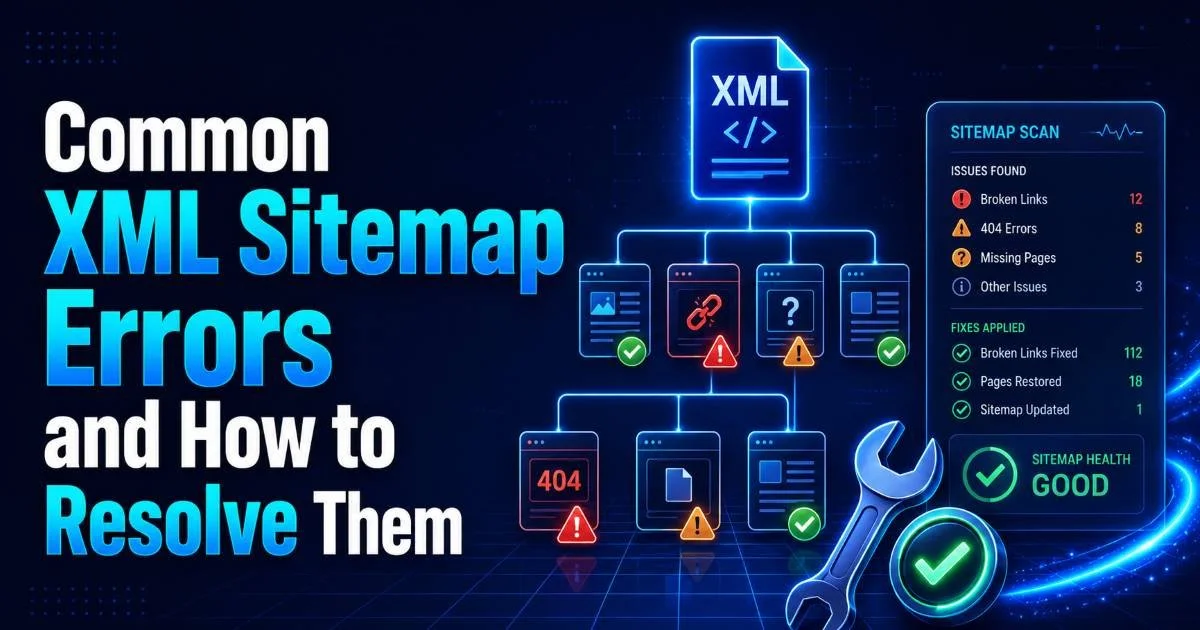
Sitemap validation is one of the most practical steps you can take to keep your technical SEO foundation solid. When search engine crawlers hit malformed XML, broken URLs, or missing tags in your sitemap, the consequences ripple across your entire indexing pipeline. Pages get dropped from the index, crawl budget gets wasted, and rankings suffer quietly in the background.
A reliable sitemap error checker helps you catch these problems before they compound. The good news is that several powerful validation tools are available at no cost. This guide walks you through the best free options, how to use them effectively, and how to fix sitemap errors once you find them. Whether you manage one site or fifty, these tools belong in your regular audit workflow.
Key Takeaways
- Free sitemap validation tools can catch most XML errors before they affect indexing.
- Always validate after CMS updates, plugin changes, or large content migrations.
- Combine automated scanners with manual spot checks for the best coverage.
- Google Search Console remains the most authoritative source of sitemap status data.
- Fixing broken URLs and schema issues improves crawl efficiency within days.
1. Understand What Sitemap Validation Actually Checks
XML Schema Compliance
Before picking a tool, you need to understand what "validation" actually means in this context. At the most basic level, an XML sitemap validator checks whether your file conforms to the sitemaps.org protocol schema. This includes verifying the correct namespace declaration, proper use of required tags like <loc> and <urlset>, and valid date formats in <lastmod> entries. A file that fails schema validation may be partially or fully ignored by search engines.
Beyond syntax, validators also check for well-formedness. This means every opening tag has a closing tag, special characters are properly encoded, and the XML declaration at the top of the file is correct. Even a single unclosed tag can cause the entire sitemap to fail parsing. If you want a deeper look at how scanning and validation work together, the guide on how to scan and validate your XML sitemap for errors covers the full process.
URL-Level Checks
Good validation tools go beyond XML structure and inspect the actual URLs listed in your sitemap. They check HTTP status codes, looking for 404 errors, 301 redirects, and 5xx server failures. A sitemap should only contain URLs that return a 200 status code. Redirect chains and broken links waste crawl budget and send confusing signals to Googlebot about which pages matter on your site.
Some validators also compare your sitemap URLs against your robots.txt file to flag contradictions. If a URL is listed in the sitemap but blocked by robots.txt, that creates a conflict that search engines will resolve unpredictably. Similarly, pages with noindex meta tags appearing in your sitemap represent a mismatch that hurts crawl efficiency. Understanding these layers of validation helps you choose tools that provide meaningful, actionable reports rather than surface-level syntax checks.
Run sitemap validation immediately after any robots.txt change to catch new conflicts early.
2. Choose the Right Free Validation Tool
Tool Comparison Overview
The landscape of free sitemap validation tools is surprisingly rich. Google Search Console is the obvious starting point because it shows you exactly how Google interprets your sitemap. It reports errors, warnings, and the number of URLs discovered versus indexed. However, it only updates data periodically and does not provide real-time validation. For instant feedback, you need a dedicated checker.
Sitemap Validator offers a fast, focused approach to XML sitemap validation that checks schema compliance and URL integrity in one pass. For professionals managing multiple properties, this kind of targeted tool saves significant time compared to running separate checks for syntax and HTTP status. Tools like Screaming Frog's free version (limited to 500 URLs) and XML Sitemaps Validator also serve well for smaller sites.
Yoast SEO and Rank Math (for WordPress users) generate sitemaps automatically but do not validate them against the live site. This is a common misconception. Your CMS plugin creates the file; a separate validation step confirms it works correctly. Relying solely on plugin-generated sitemaps without checking them is like writing code without ever running tests. If you use sitemap index files for larger sites, the guide on sitemap index files setup and validation explains the extra checks needed.
| Tool | URL Limit (Free) | Schema Check | HTTP Status Check | Real-Time |
|---|---|---|---|---|
| Google Search Console | Unlimited | Yes | Partial | No |
| Sitemap Validator | Generous | Yes | Yes | Yes |
| Screaming Frog (Free) | 500 | Yes | Yes | Yes |
| XML Sitemaps Validator | Varies | Yes | No | Yes |
| W3C Markup Validator | Unlimited | Yes | No | Yes |
W3C Markup Validator checks XML well-formedness but does not validate against the sitemaps.org-specific schema.
3. Run Your First Validation Audit
Step-by-Step Process
Start by locating your sitemap URL. Most sites use /sitemap.xml or /sitemap_index.xml. Check your robots.txt file for the Sitemap: directive if you are unsure. Copy the full URL, then open your chosen validation tool. Paste the URL and initiate the scan. Most online validators will fetch the file, parse the XML, and begin checking each URL within seconds. Larger sitemaps with thousands of URLs will take longer.
While the scan runs, open Google Search Console in a separate tab. Navigate to Sitemaps under the Indexing section and review the status of your submitted sitemaps. Compare Google's reported error count with what your standalone validator finds. Discrepancies are common because Google checks URLs over time while standalone tools check them all at once. Both perspectives are valuable, and together they give you the fullest picture of your sitemap health.
Interpreting Results
Validation results typically fall into three categories: errors, warnings, and informational notes. Errors are non-negotiable problems like malformed XML or unreachable URLs. Warnings include issues like missing optional tags (<lastmod>, <changefreq>, <priority>) that will not break parsing but may reduce crawl optimization. Informational notes cover best-practice suggestions. Focus on errors first, then address warnings in order of impact.
Pay special attention to patterns in the results. If you see fifty 404 errors all pointing to a specific URL path structure, that likely indicates a bulk content deletion or a permalink structure change that was not accounted for in the sitemap. A comprehensive breakdown of the most frequent issues appears in the article covering common XML sitemap errors and how to resolve them. Pattern recognition turns raw error logs into actionable project tasks.
"A sitemap is not a set-and-forget file. It is a living document that must evolve with your site."
4. Fix Common Errors and Revalidate
Priority Fixes
The most damaging sitemap errors are broken URLs. If your sitemap points to pages that return 404 or 410 status codes, remove them immediately. For pages that have moved, update the sitemap entries to reflect the new canonical URLs rather than relying on redirect chains. A detailed walkthrough for this specific issue is available in the guide on how to fix broken URLs in your XML sitemap fast. Cleaning up broken URLs is the single highest-impact fix you can make.
Schema errors require editing the XML directly. Common fixes include adding the correct namespace (xmlns="http://www.sitemaps.org/schemas/sitemap/0.9"), encoding ampersands as &, and formatting dates in W3C Datetime format (YYYY-MM-DD). If your sitemap is auto-generated, these errors usually trace back to plugin settings or server-side scripts. Test every change by revalidating before resubmitting to Google Search Console.
Never include URLs in your sitemap that are blocked by robots.txt or tagged with noindex. This creates conflicting crawl directives.
Ongoing Maintenance
Fixing errors once is not enough. Set a recurring schedule to validate your sitemap, ideally weekly for active sites and monthly for stable ones. Automate where possible. Some tools offer scheduled scans with email alerts, which is especially useful for large e-commerce sites where product pages change constantly. Every CMS update, plugin change, or content migration should trigger a validation check as part of your deployment checklist.
Build sitemap validation into your broader technical SEO workflow alongside robots.txt audits, canonical tag reviews, and structured data testing. Treating the sitemap as an isolated file leads to neglect. Treating it as part of a connected system keeps your site's crawlability tight and your indexing predictable. Avoid shortcut tactics that might seem tempting; as outlined in this resource on why you should avoid black hat SEO, cutting corners always catches up with you eventually.
After resubmitting a corrected sitemap in Google Search Console, use the URL Inspection tool to request re-crawling of previously errored pages.
FAQs
Q: What is a sitemap validation tool?
A sitemap validation tool checks your XML sitemap for errors, broken URLs, and formatting issues.
Q: Is Google Search Console enough for sitemap validation?
It is useful, but a real-time validator helps catch errors faster.
Q: How often should I validate my sitemap?
Validate it weekly or after CMS updates, plugin changes, or site migrations.
Final Thoughts
Free sitemap validation tools give SEO professionals and webmasters everything they need to maintain clean, functional XML sitemaps. The combination of Google Search Console for ongoing monitoring and a dedicated validator like Sitemap Validator for real-time checks covers nearly every scenario. Build validation into your regular audit cadence, fix errors by priority, and revalidate after every significant site change. Your crawl budget, indexing speed, and ultimately your rankings will reflect the effort.
Disclaimer: Portions of this content may have been generated using AI tools to enhance clarity and brevity. While reviewed by a human, independent verification is encouraged.